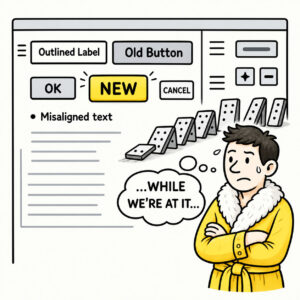
Cutting Corners means skipping important work to save money today, only to spend considerably more time fixing the consequences tomorrow.
In UX, research or testing phases are abbreviated, omitted or postponed. Under pressure, these shortcuts feel rational because the product ships faster. But this practice usually backfires because the problems simply arrive later. You end up building a product that users don’t want, leading to higher cost, extra fixes, and lost revenue.
ORIGIN
The phrase “cutting corners” originated in the 19th century from the literal practice of horse-drawn carriage drivers steering sharply around bends during races. Instead of traveling all the way to the end of a street and executing a proper, wide turn around the curb, impatient drivers would steer diagonally across the corner. While this maneuver saved time and shortened the distance, it carried a high risk of clipping the curb, damaging the wheels, or overturning the vehicle.
Eventually, the term lost its literal association with wheels and roads and became a universal way to describe the practice of doing a task in the easiest, fastest, or cheapest way possible by skipping crucial steps.
Product development borrowed the metaphor because software projects face similar temptations. Tight deadlines, limited budgets, and competing priorities encourage teams to bypass activities that don’t immediately produce visible results. The shortcut feels efficient because it reduces today’s workload. What it actually reduces is tomorrow’s margin for error.
WHEN
Clear-tell signs that you’ve encountered Cutting Corners are when important tasks are being postponed without further questioning. Some examples of this practice include the following:
- Research is skipped
“We already know what users need.”
- Usability testing is postponed
“We’ll validate it after launch.”
- Accessibility becomes optional
“We’ll make it compliant later.”
- Design reviews disappear
“There isn’t enough budget.”
- Technical or UX debt keeps growing
“Let’s keep this for phase 2.”
If the schedule gets shorter but the list of things to revisit gets longer, a corner has probably been cut.
WHY
Cutting Corners is rarely caused by laziness but often happens due to pressure.
- Delivery pressure
Deadlines reward shipping today over improving tomorrow.
- Organizational bottlenecks
When teams constantly fight blockers, conflicting priorities, and firefighting, they naturally start skipping work that seems less urgent.
- Invisible UX work
Research, accessibility, content strategy, and design reviews don’t always produce immediately visible output, making them easy targets when time runs short.
- The illusion of efficiency
Every shortcut appears to save time. The cost simply hasn’t arrived yet.
Eventually those shortcuts accumulate into design debt and UX debt – small compromises that slowly reduce usability, increase maintenance costs, and make future improvements more difficult.
HOW
Not every shortcut is a mistake. The key is knowing which corners can safely be cut – and which ones define the experience. Apply the following practices to avoid costly corner cutting:
- Protect user understanding
Research, usability testing, and validation should be the last things to disappear, not the first.
- Be transparent about trade-offs
If something is intentionally skipped, document it and agree on when it will be addressed.
- Focus on bottlenecks, not symptoms
Instead of repeatedly cutting corners to work around slow processes, fix the bottleneck creating the pressure in the first place.
- Treat UX work as risk reduction
Activities like user research, prototyping, and testing aren’t delays – they’re investments that prevent expensive mistakes downstream. The later UX problems are discovered, the more costly they become to fix.
- Pay back shortcuts quickly
Temporary solutions have an unfortunate habit of becoming permanent architecture.
PRO TIP
A shortcut that never gets revisited isn’t a shortcut, it’s the new standard. Good teams don’t pretend shortcuts are free. They know exactly what they’re borrowing – and who will eventually pay the interest. They ask: “Is this an opportunity to cut a corner here? What are the consequences? How will we deal with this later?”
EXAMPLES
Examples of cutting corners include the following:
- Launching without usability testing because “we’ll gather feedback later.”
- Skipping accessibility reviews to meet a release deadline.
- Copying an existing interface instead of understanding the user problem, also known as Cargo Cult UX.
- Shipping a temporary workaround that survives for years.
- Releasing a feature with known UX issues because “marketing already announced it.”
CONCLUSION
Cutting Corners is one of the easiest habits to justify because the benefits are immediate while the costs are delayed. Every skipped interview, postponed usability test, or deferred design improvement buys a little more time today by borrowing from tomorrow.
The irony is that most shortcuts don’t actually reduce the amount of work. They simply move it to a point where it becomes more expensive, more disruptive, and much harder to fix. The best product teams understand that speed and quality are not opposing goals. They know which corners can be safely rounded and which ones are there to keep the product on the road.