Anchoring bias happens when people rely too heavily on the first piece of information they see, the “anchor”, when making decisions. In UX, it shows up when users’ perceptions, expectations, or actions are influenced by an initial number, label, or example, even if it’s arbitrary or irrelevant.
ORIGIN
Anchoring bias was first named and studied by psychologists Amos Tversky and Daniel Kahneman in the 1970s, as part of their groundbreaking work on cognitive heuristics. It’s a mental shortcut: our brains like to latch onto the first clue we get and adjust from there, even when better information is available.
In design, anchoring can shape how users value products, interpret prices, or judge progress.
WHEN
You’ll notice anchoring bias affecting UX when:
- Users see a high price first and perceive a discount as more valuable.
- A “suggested plan” makes other plans look better or worse by comparison.
- Progress bars with a high initial percentage make users feel closer to completion.
- A long list of options makes the first one disproportionately influential.
It’s especially important in pricing pages, forms, dashboards, and any place where users make decisions.
WHY
Anchoring bias works because:
- People want shortcuts, it takes effort to reevaluate every option from scratch.
- The first thing we see sets a mental benchmark for everything that follows.
- Users assume the product or designer is showing them what’s “normal” or “expected.”
Designers can unintentionally (or intentionally) exploit this by setting anchors that steer behavior.
HOW
Here’s how to design with anchoring bias in mind:
- Set helpful anchors. Place defaults, suggested plans, or examples that guide users toward sensible choices.
- Test perceptions. See how users react to different anchors and adjust accordingly.
- Be ethical. Don’t manipulate users into bad choices by anchoring with misleading or irrelevant numbers.
- Explain context. Help users understand how options compare beyond just the first impression.
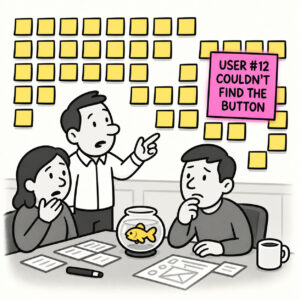
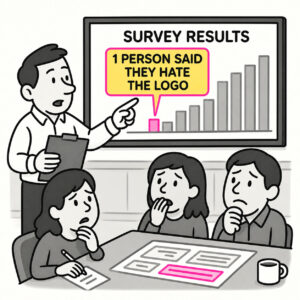
- Challenge assumptions. When analyzing research, check if your own interpretation is anchored to an outlier.
PRO TIP
Anchors can backfire, if the first option feels unrealistic or confusing, users may distrust everything else. Test your anchors carefully.
EXAMPLES
- A SaaS pricing page shows the most expensive “Premium” plan first, making the “Standard” plan feel more affordable.
- An e-commerce site lists a product’s “original” price alongside the sale price to make the discount feel bigger.
- A progress indicator starts at 20% complete (thanks to default steps) to motivate users to finish.
CONCLUSION
Anchoring bias reminds us that users rarely evaluate options in a vacuum. The first thing they see sets the tone, so choose your anchors wisely.
Also known as: Reference point effect • First impression bias • Framing effect (closely related)