Read more about the article 54 • Data–Ink Ratio
Data-ink ratio

54 • Data–Ink Ratio

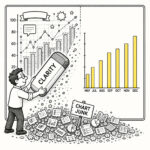
Data ink refers to the ink (or pixels) that represents the actual data in a visualization. The Data-Ink Ratio measures the proportion of ink used to represent data compared to the total amount of ink used in the graphical presentation, including non-data elements. In visual design, it is therefore essential to prioritize increasing the data-ink ratio by utilizing data ink exclusively and minimizing or eliminating non-essential ink. By doing so, the focus remains on the data rather than unnecessary or decorative design elements such as gradients, shadows, borders, labels, widgets, or enthusiastic gridlines.

Continue Reading54 • Data–Ink Ratio
Read more about the article 51 • Gold Plating
Gold plating

51 • Gold Plating

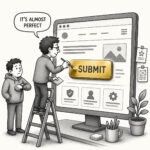
Gold Plating is a term that means working on a project or task past the point of diminishing returns. It refers to the practice of adding extra features or "polishing" designs beyond the agreed scope without measurably increasing quality. In UX, designers often try to improve the look and feel with the desire to exceed expectations, often not realizing that their extra effort doesn't add real value to the user experience. Instead, it introduces unnecessary cost and potential technical debt as these extras often go undocumented.

Continue Reading51 • Gold Plating
Read more about the article 44 • Red Herring
Red Herring

44 • Red Herring

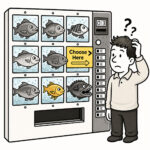
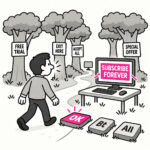
A Red Herring is a misleading or distracting element that pulls attention away from what actually matters. In UX, it can be accidental such as a design element that looks like it does the thing but doesn’t, something that distracts users from their primary goal or leads them toward the wrong conclusion. But it can also be intentional, such as a deliberate distraction used to test attention or a research question to validate that users don't rush through the study.

Continue Reading44 • Red Herring
Read more about the article 41 • Kitchen Sink
Kitchen Sink

41 • Kitchen Sink

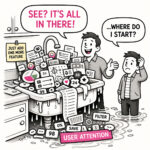
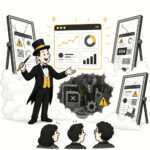
The Kitchen Sink is what happens when an app - or a map - tries to show everything and ends up explaining nothing. At first glance, it looks impressive. Packed. Comprehensive. Full of features, layers, and information. But spend more than a few seconds with it, and the experience quickly shifts from insight to overload. The eye jumps. The interface competes for attention. The meaning gets buried somewhere between panels, controls, and colors. The Kitchen Sink is not a failure of effort. It is a failure of prioritization.

Continue Reading41 • Kitchen Sink
Read more about the article 10 • Uncanny Valley
Uncanny Valley

10 • Uncanny Valley

The “uncanny valley” is that unsettling gap between almost human and human. In UX and product design, it’s the moment when something looks realistic enough to trigger our expectations for real-world behavior, but falls just short, creating discomfort instead of delight. Think avatars with glassy eyes, chatbots with suspiciously human typing pauses, or “realistic” micro interactions that feel off in a way you can’t quite name.

Continue Reading10 • Uncanny Valley
Read more about the article 08 • Empty Fridge Syndrome
Empty Fridge Syndrome

08 • Empty Fridge Syndrome

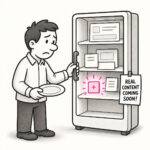
Empty Fridge Syndrome describes the disappointing experience users have when they first open a newly installed app or sign in to a new product, only to find… nothing. No data, no guidance, no value. Just an empty, cold interface waiting for them to figure out what to do next. The app looks polished from the outside, but when you “open it up” (the fridge), it’s empty or filled with placeholders.

Continue Reading08 • Empty Fridge Syndrome
Read more about the article 07 • Lorem Ipsum Trap
Lorem Ipsum Trap

07 • Lorem Ipsum Trap

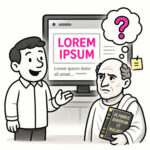
The Lorem Ipsum Trap refers to the mistake of designing and evaluating interfaces with placeholder text, like the classic “lorem ipsum” filler, instead of realistic, meaningful content. It’s what happens when designs look polished in mockups but break down when confronted with the messy, unpredictable reality of actual user content.

Continue Reading07 • Lorem Ipsum Trap
Read more about the article 06 • Frankenstein Design
Frankenstein Design

06 • Frankenstein Design

Frankenstein design refers to a user interface or experience that feels stitched together from mismatched parts, often inconsistent in style, behavior, and purpose. It happens when components, patterns, or ideas from different sources are cobbled together without a coherent vision, resulting in a product that “works,” but feels awkward, confusing, or even unsettling.

Continue Reading06 • Frankenstein Design
Read more about the article 05 • Pixel Peeping
Pixel Peeping

05 • Pixel Peeping

Pixel peeping refers to the obsessive examination of a design at an extreme level of detail, scrutinizing every pixel, alignment, or color value, sometimes to the detriment of the bigger picture. It’s when designers zoom all the way in and get stuck fussing over tiny visual details that most users will never notice.

Continue Reading05 • Pixel Peeping